Flower shop game for iPhone
Your own little flower shop
A quiet street corner, a big window everyone stops to look at, and a greenhouse out the back. Grow the flowers, listen to each customer’s wish and arrange their bouquet yourself, stem by stem.
The App Store page is not live yet. This button will open it when the listing is up. The game is free to download, with ads and optional purchases.
Free to download on the App Store. Ads and optional purchases inside the game.
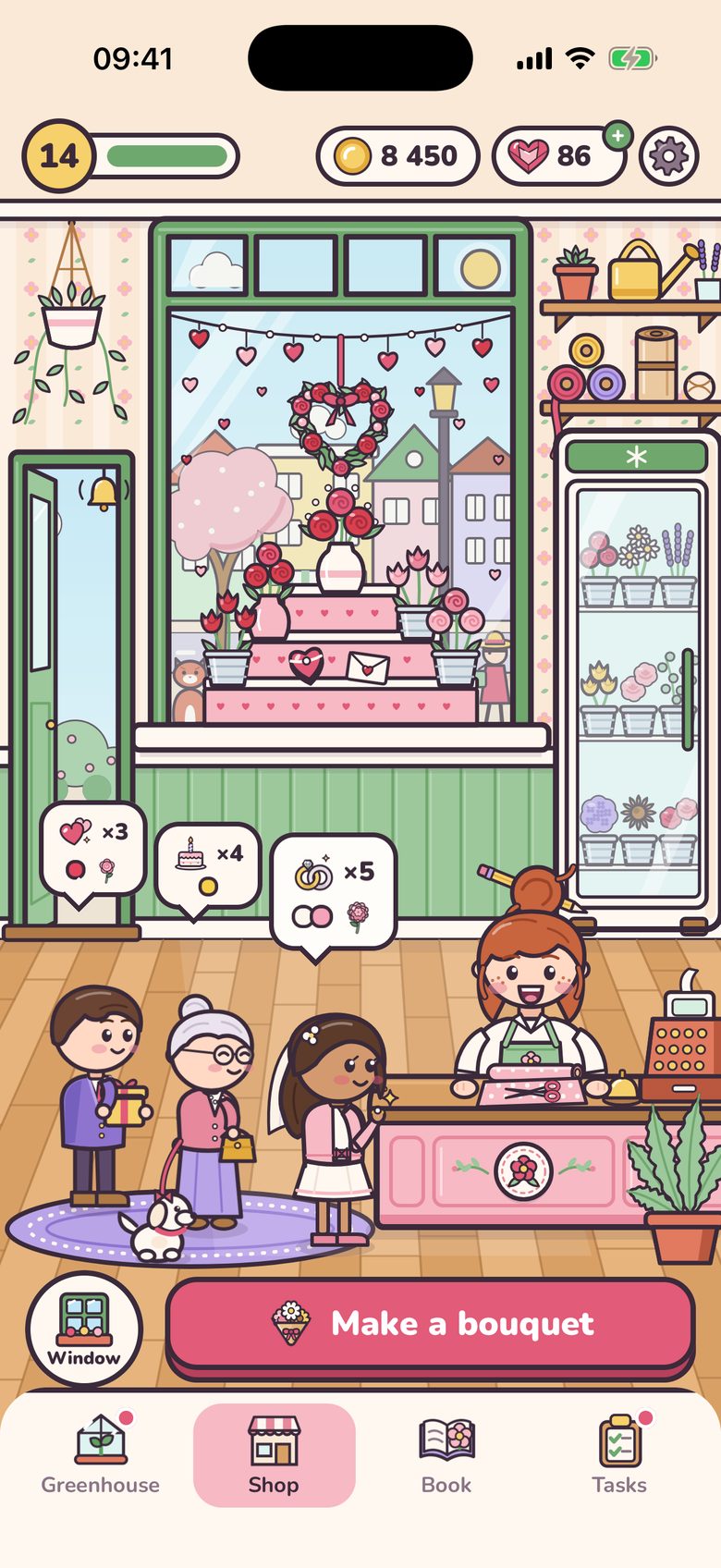
One round, from a seed to a happy customer
A birthday, a first date, a thank you, an apology, get well soon or a wedding: everyone needs flowers for something. Nobody rushes you, and every bouquet is yours to make.
-
1
Grow the flowers
Plant seeds in the greenhouse, water the pots and cut the flowers when they bloom. They wait in the flower fridge until a bouquet needs them.
-
2
Hear the wish
Up to three customers wait calmly at the counter, each with a wish: the occasion, the colours they like, how many flowers, and sometimes a favourite one.
-
3
Arrange the bouquet
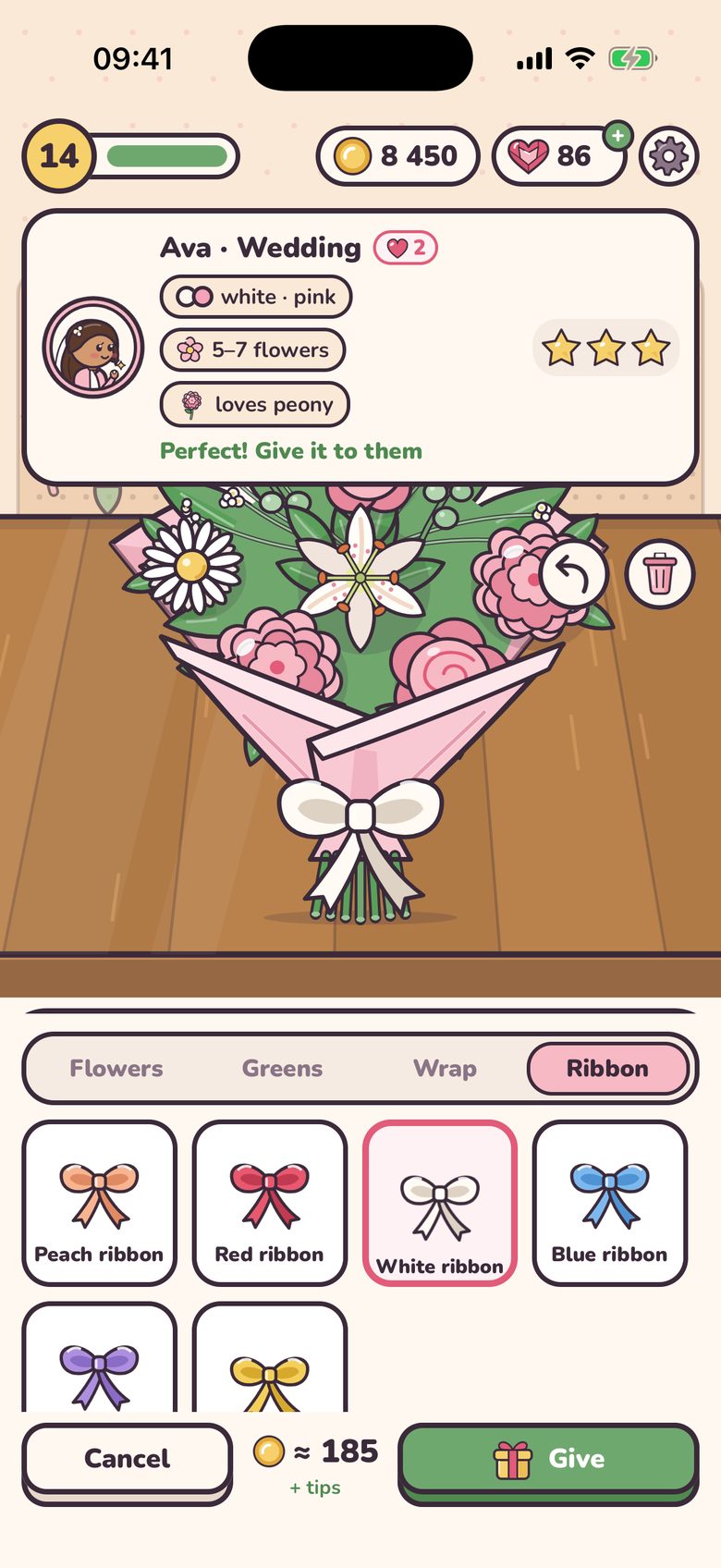
At the workbench, tap flowers to add them, then a sprig of greens, a paper and a ribbon. The bouquet grows in your hands, and a line on top tells you what is still missing.
-
4
Stars, coins and tips
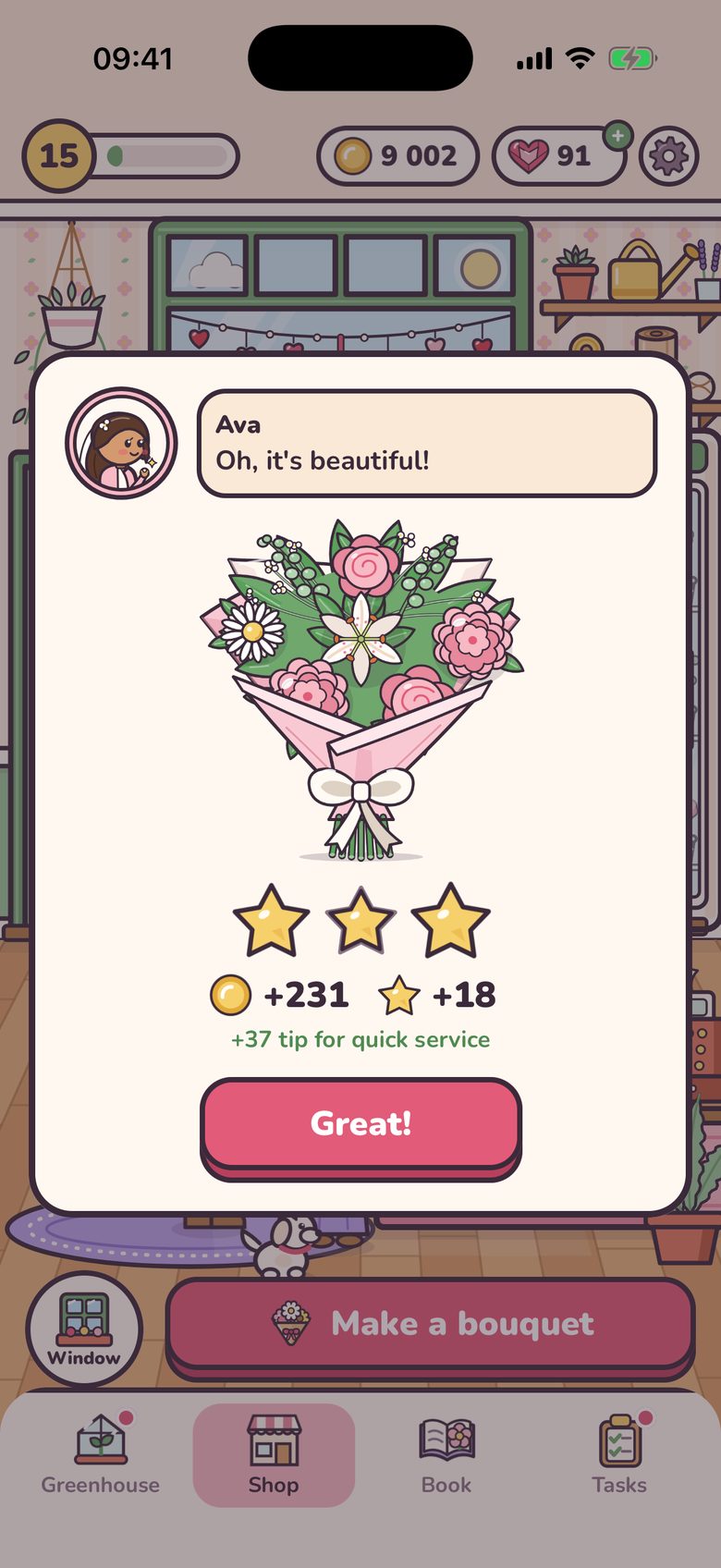
The customer gives one to three stars for the number of flowers, the colours and the finish. More stars mean more coins, and a good bouquet served quickly earns a tip on top.
Every bouquet is yours to make
Ava wants white and pink for her wedding, five to seven flowers, and she loves peonies. Theo needs something tender for his first date. You choose every stem.
- Flowers from your fridge, plus greens: eucalyptus, fern and baby’s breath.
- Six papers and six ribbons, from kraft paper to gold. Buy one once, then use it as often as you like.
- A friendly hint as you go: “Add 2 more”, “Add some red”, “A sprig of greens would be nice”, “Perfect! Give it to them”.
- Changed your mind? Take the last flower back, or clear the table and start again.
- Serve a two- or three-star bouquet quickly and the customer adds up to 20% as a tip.
Grow your own flowers
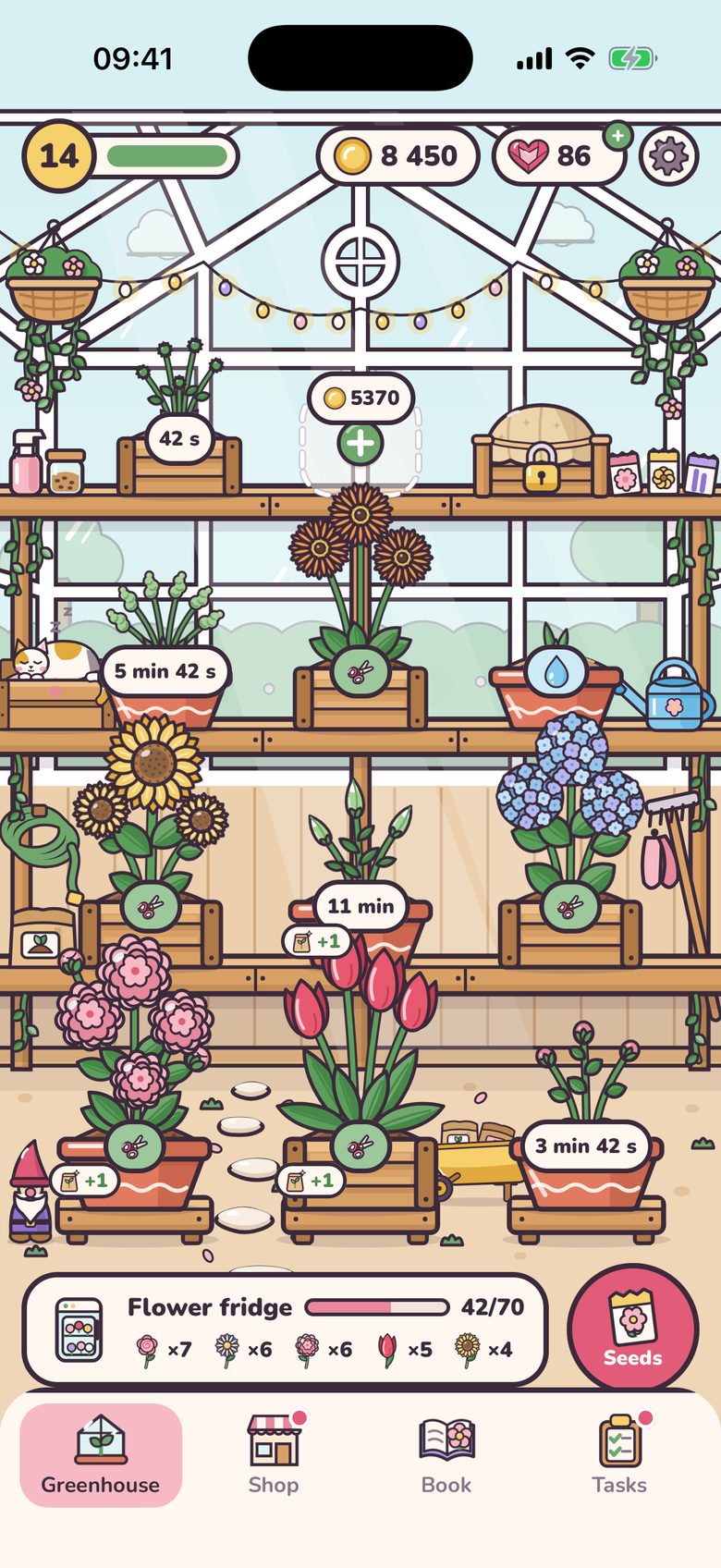
Behind the shop is a little glass greenhouse. Plant a seed, water the pot and come back when it blooms. Daisies are ready in a minute and a half; an anemone takes an hour and a half.
- Daisy
- Tulip
- Sunflower
- Rose
- Cornflower
- Gerbera
- Lavender
- Peony
- Lily
- Iris
- Hydrangea
- Orchid
- Carnation
- Dahlia
- Ranunculus
- Anemone
Sixteen flowers in seven colours. New ones open as you level up.
- Start with three pots and open up to twelve on the shelves.
- Slow growers like lavender, lilies and orchids need just one watering: plant them, water them and go.
- Feed a pot with fertiliser up to three times, and it gives one more flower at every harvest.
- Sell spare stems from the flower fridge, or buy more room in it.
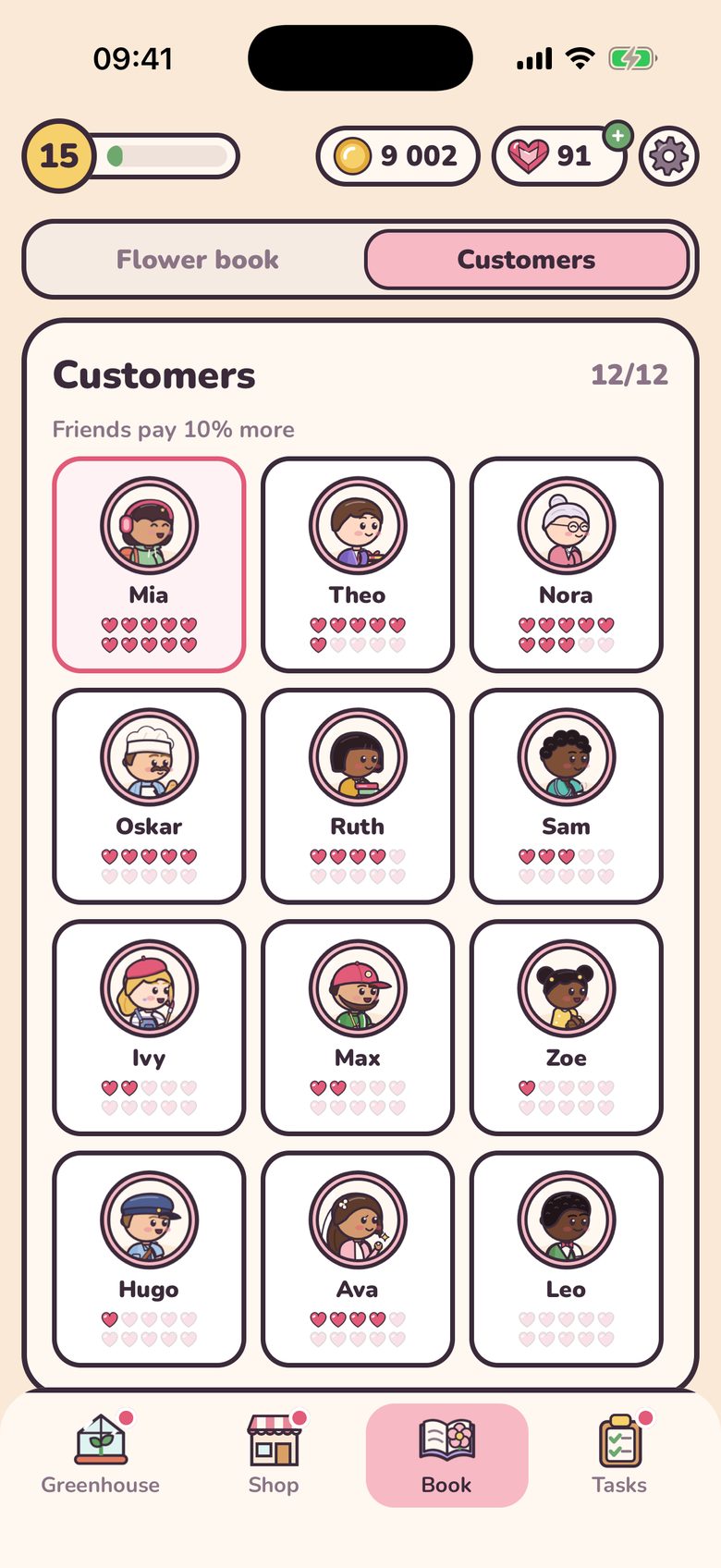
Twelve regulars, each with a story
The same faces come back to your counter. Make them happy and they open up, story by story, until they become your best friends.
- Miaa design student
Your bouquets are like a ready-made palette!
- Theojust before his first date
It’s my first date today… I hope she likes flowers.
- Nora and Biscuita neighbour and her little dog
We walk past your window every day.
- Oskarthe baker from the next street
Flowers in a bakery window are the best advert!
- Avathe bride-to-be
I’m getting married next month! I’m looking for a wedding florist.
- And seven more
Ruth the teacher, Sam the nurse, Ivy the painter, Max the football coach, eight-year-old Zoe, Hugo the postman and Leo, Ava’s fiancé.
- A two-star bouquet earns a regular’s heart, a three-star one earns two. At 2, 5 and 10 hearts they tell you the next part of their story, with gems as a thank you.
- At 10 hearts a regular becomes your best friend and pays 10% more.
- Passers-by drop in too: a woman with an umbrella, a cyclist, a grandpa with his cane and a schoolgirl with braids.
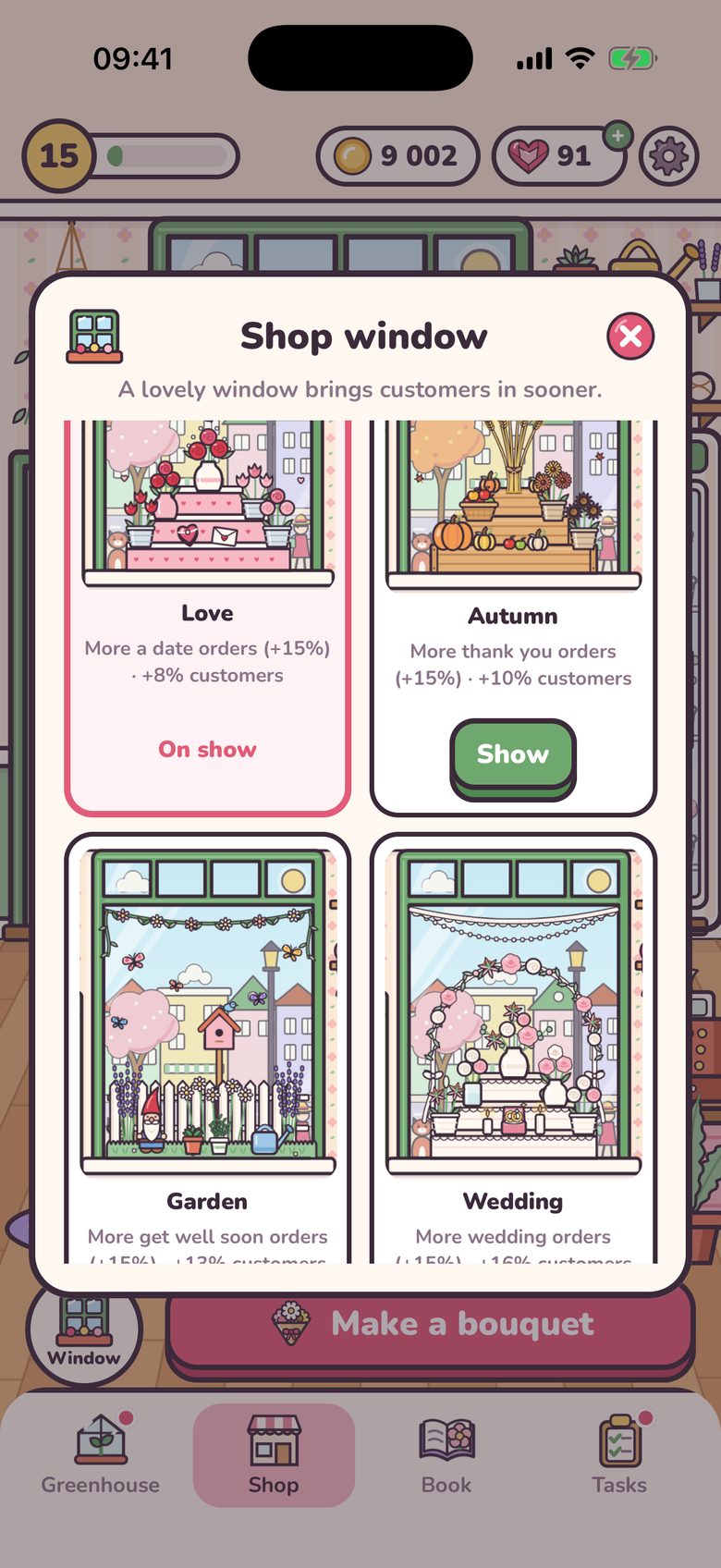
The shop window
Dress the window, fill the shop
The big window is what the street sees. Start with Spring, then save your coins for new themes as you level up. A lovelier window brings customers in sooner, up to 30% more often.
- SpringYour first window
- PartyMore birthday orders
- LoveMore date orders
- AutumnMore thank-you orders
- GardenMore get-well-soon orders
- WeddingMore wedding orders
- WinterMore “I’m sorry” orders
- Starry nightThe most customers of all
- Bouquets for the occasion your window shows pay 15% more.
- Switch between the themes you own whenever you like.
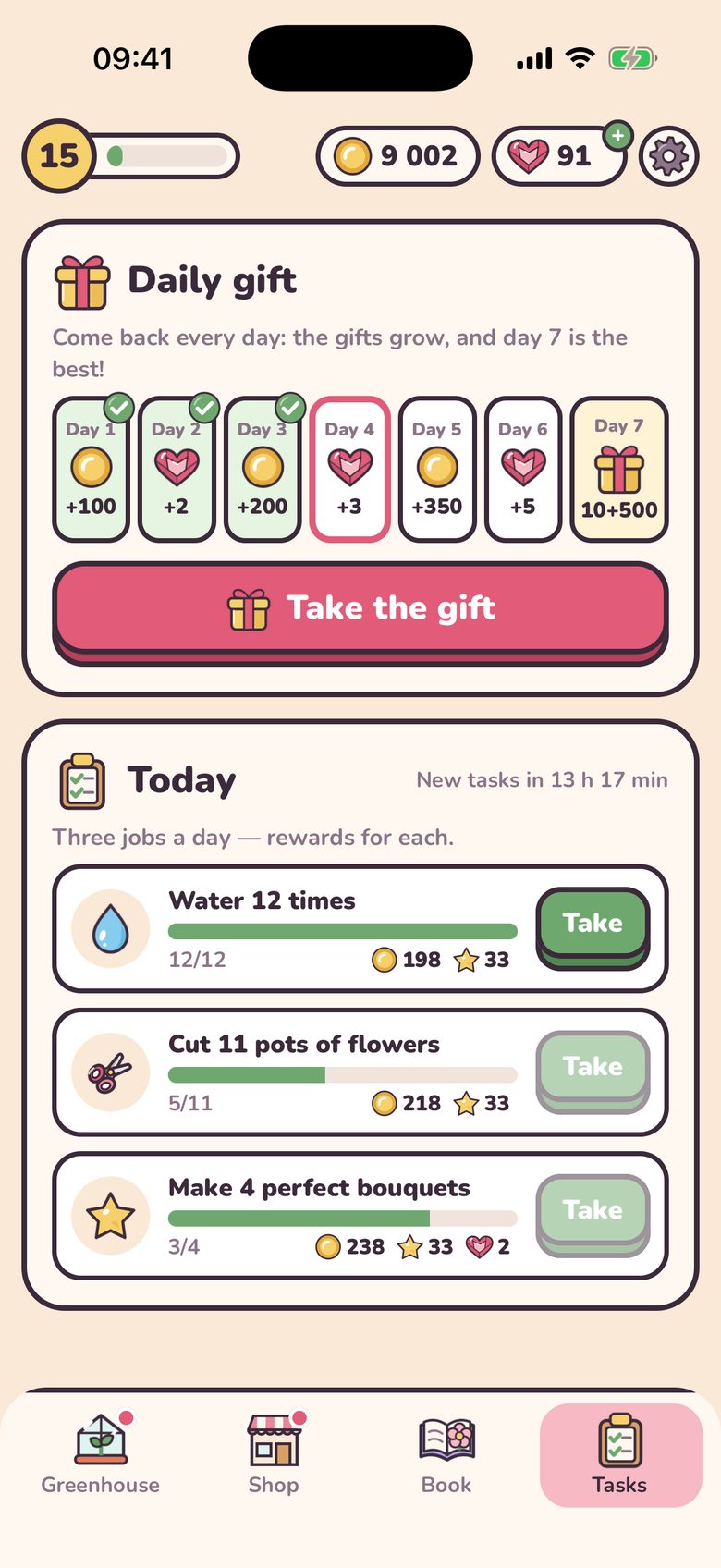
Something to come back for
- Three little tasks a day, such as cutting flowers, watering or making perfect bouquets. Each pays coins, and the third one adds gems.
- A 7-day gift calendar that grows all week. Day 7 brings 500 coins and 10 gems; miss a day and the week starts again.
- A flower book: every flower you grow and every regular you meet goes in, with their stories.
- Short, calm sessions: grow, serve a few customers, and come back when the flowers bloom.
Straight answers
- You can play without paying
- Coins from bouquets pay for seeds, pots, papers, ribbons and window themes. Gems are optional: they make a pot bloom at once or buy a rare seed early. The game gives some for every new level, every new flower, stories, daily tasks and the gift calendar.
- About ads
- Bonus videos play only when you tap ▶: to finish a pot that is nearly in bloom, to double the coins for a bouquet, or for free gems. From level 4 there is one short ad break at most every 30 minutes of play, announced by a 3-second countdown.
- Optional purchases
- Gem packs, a one-time starter pack (gems, coins, golden paper and a gold ribbon) and “No ads”, which turns the ad breaks off. Bonus videos stay there for when you want them. Payments are handled by Apple.
- No account, plays offline
- There is nothing to sign in to, and the game works without internet. Progress stays on your iPhone, with a copy in your own iCloud, so it comes back after a reinstall or on a new iPhone.
- Made for iPhone, in 18 languages
- English, Ukrainian, Spanish, Portuguese, French, German, Italian, Polish, Dutch, Czech, Romanian, Turkish, Indonesian, Thai, Vietnamese, Japanese, Korean and Chinese.
- Questions?
- Write to contact@arktik.tech. The support page covers purchases, iCloud, reminders and more.

Coming soon to the App Store
Get Bloom Window
The listing is not live yet. When it is, every App Store button on this page will open it. Until then, questions go to Artem Kurtiak.
Free to download on iPhone. Ads and optional purchases inside the game.
Email contact@arktik.tech